Mastercard Bank of the Year Competition 2025, Hungary.
 Let’s get started
Open an account until 6/30/2026 and receive a bonus amount of up to RON 400.(2)

Interest credited
Other income
RON 500
11/30/2024

You will now get 3% instant-access interest on the liquid amount on your Hello Gránit RON account. (AER: 3.00%)(4)(5)
Account openingopen your bank account

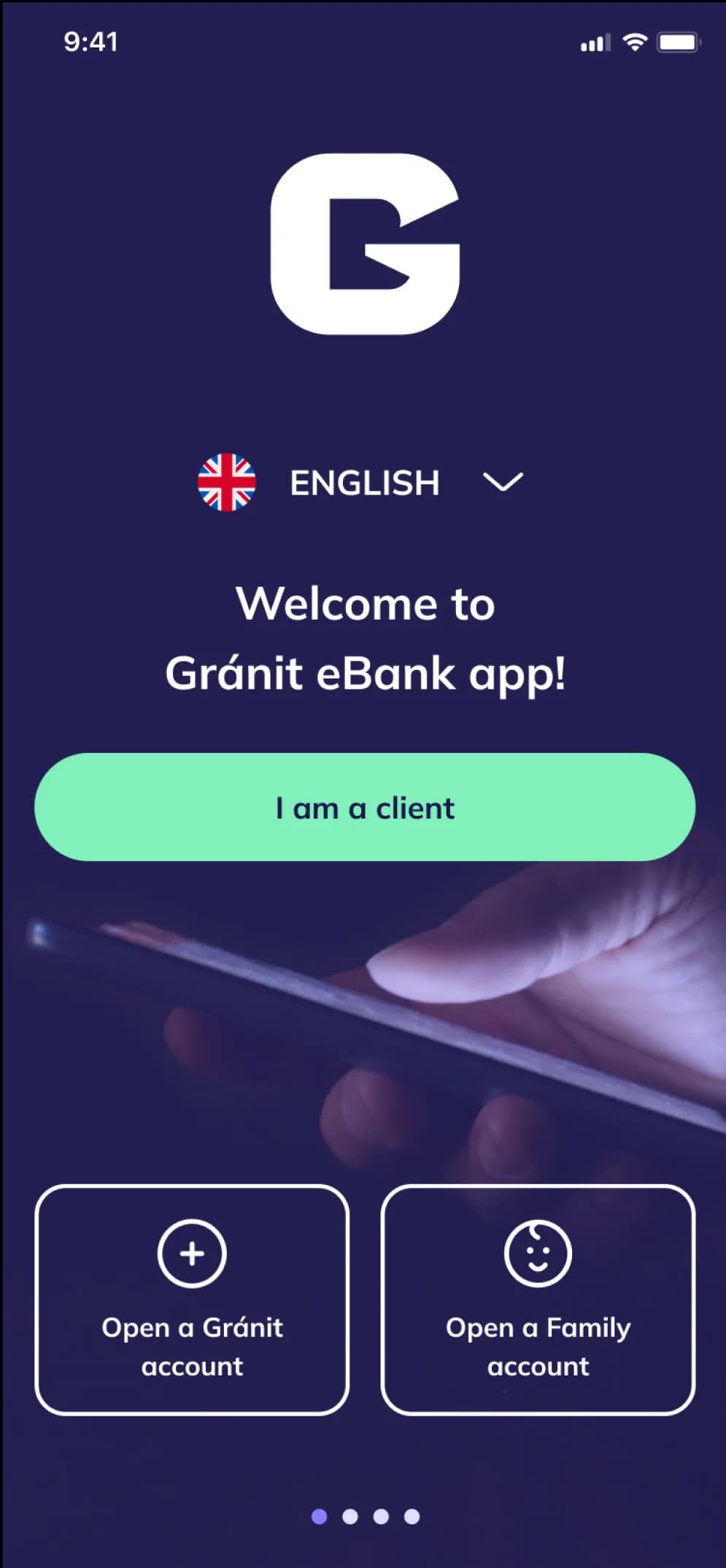
Download the Gránit eBank app from Google Play, the App Store or the AppGallery.
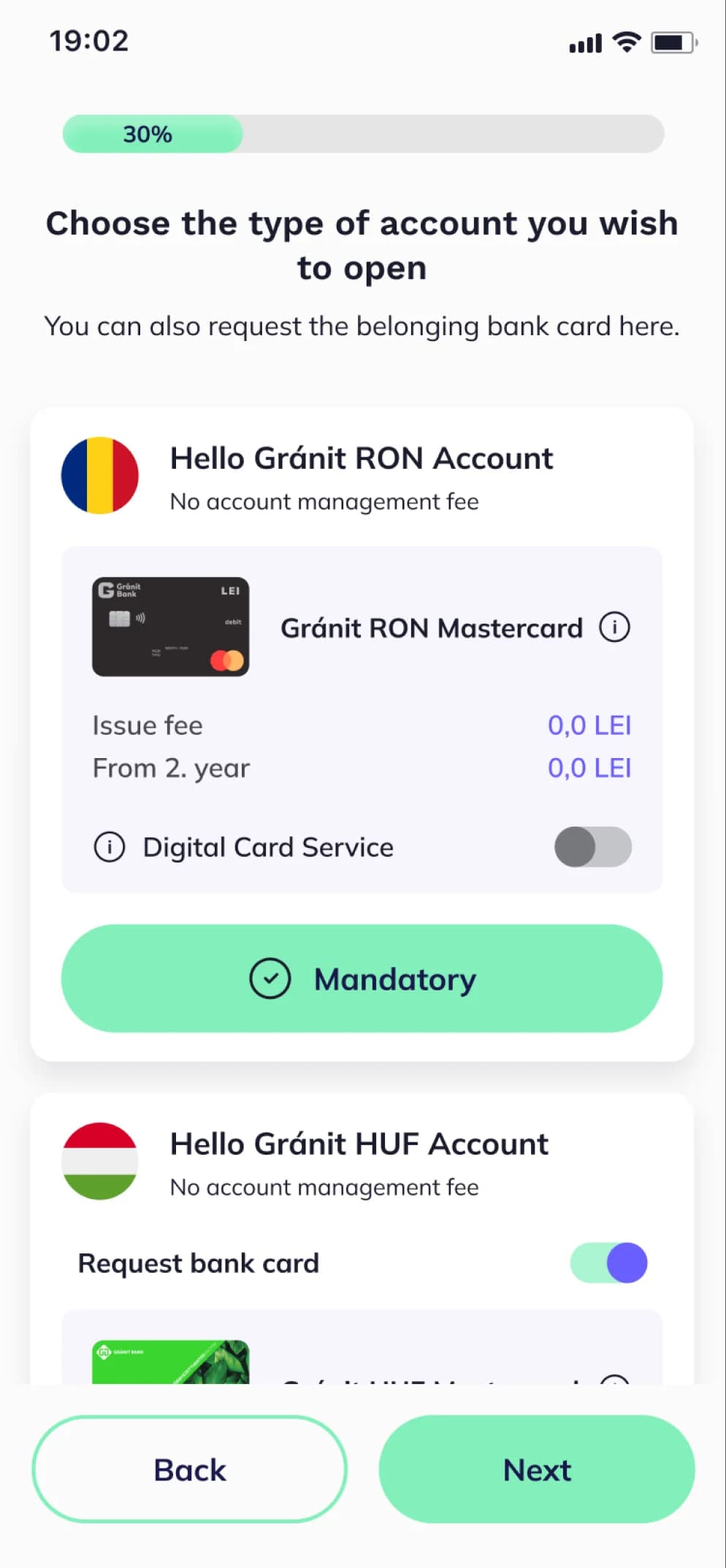
In addition to your main RON account, you can have several foreign currency accounts, too.
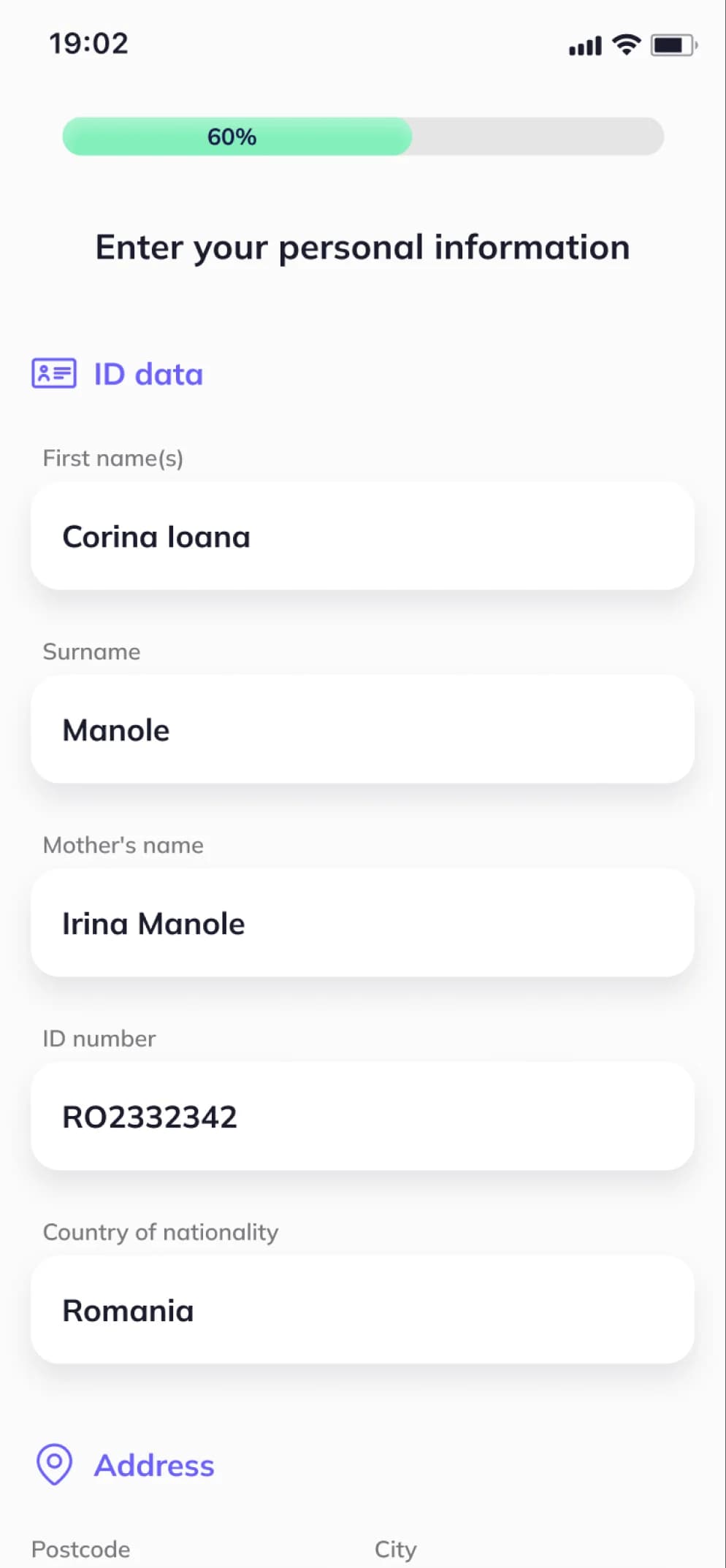
Enter your details and accept the necessary notices and documents.
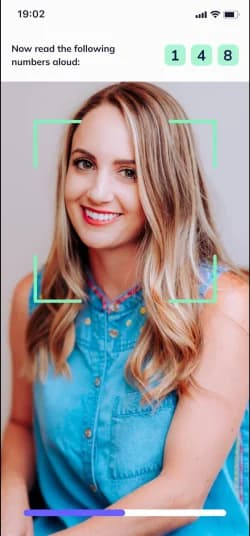
Identify yourself quickly with a 15-second selfie video.
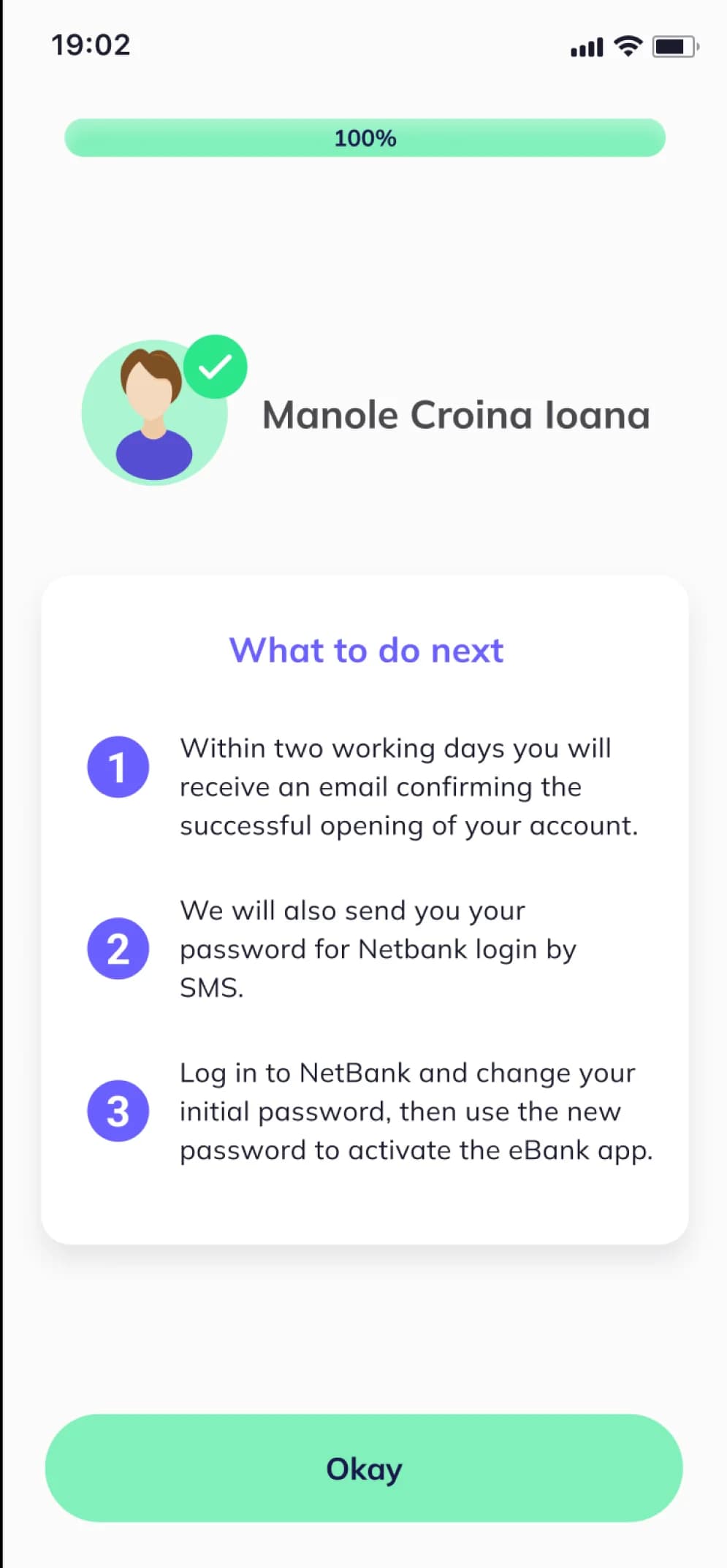
We’ll contact you about your account opening via email.
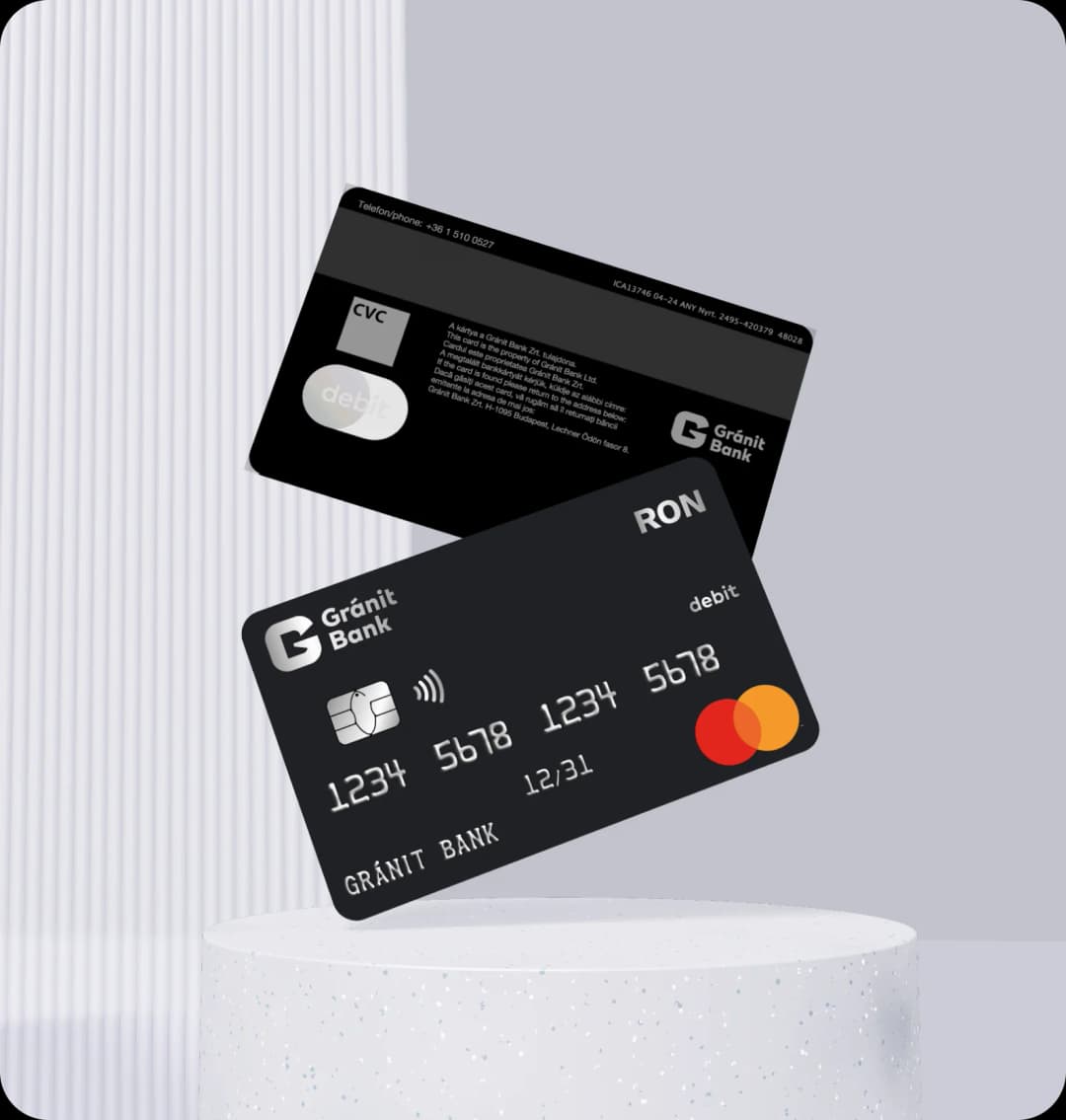
No need to worry about the security of your online purchases! Our disposable card offers the perfect solution for internet payments, as it automatically expires after each use and you can generate a new one with a single click, for your next purchase. This means your personal data and financial information are protected each time you shop online.
Details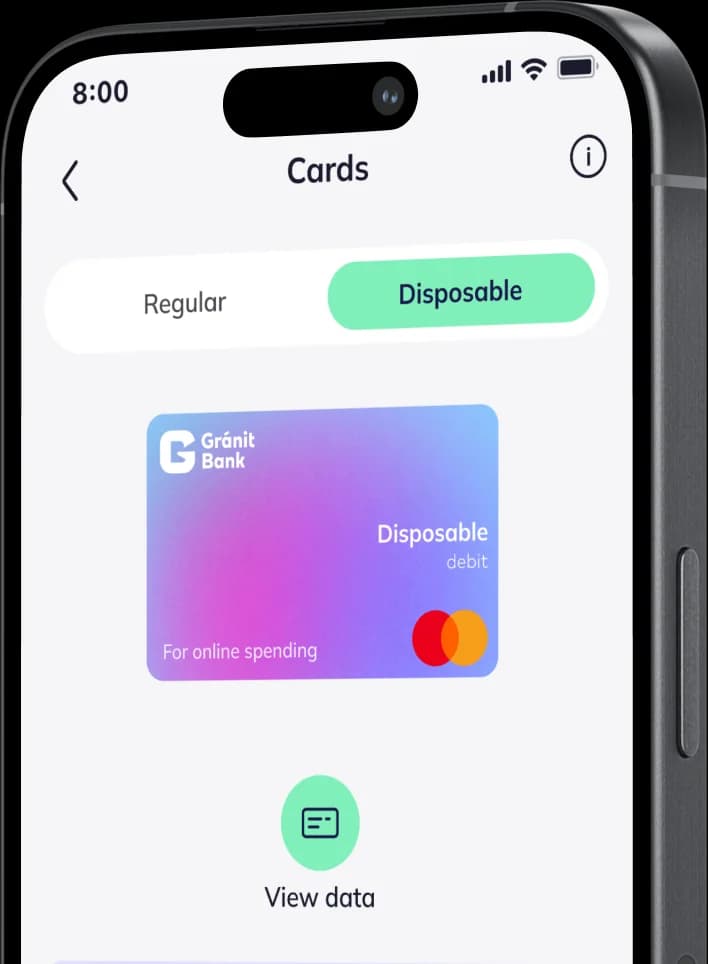
Make a fixed deposit in RON, EUR, HUF, USD or GBP until 6/25/2026 with favourable interest rates.
Minimum deposit amount: 500 RON
Minimum deposit amount: 350 EUR
Minimum deposit amount: 50,000 HUF
Minimum deposit amount: 500 USD
Minimum deposit amount: 350 GBP
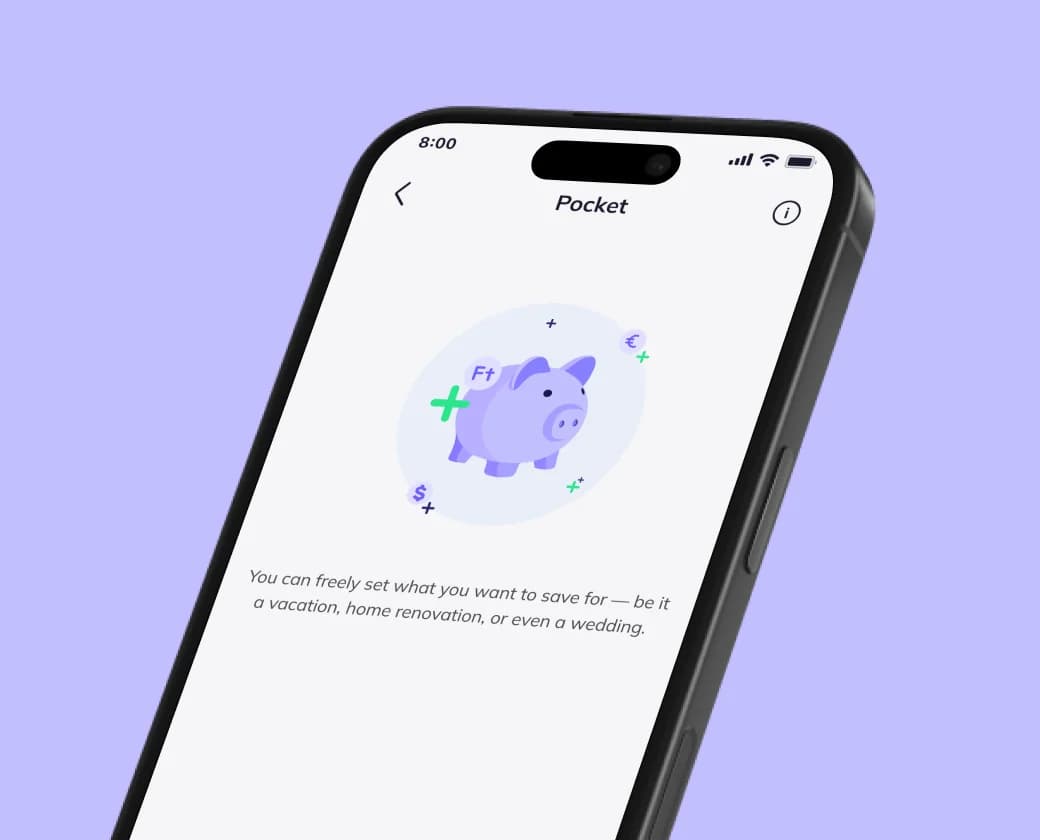
With Pocket, you can manage your savings free of charge in multiple currencies (EUR, USD, RON and HUF)
Choose what you’re saving for — whether it’s a holiday, a home renovation, or even a wedding
Get a foreign currency account with your bank account


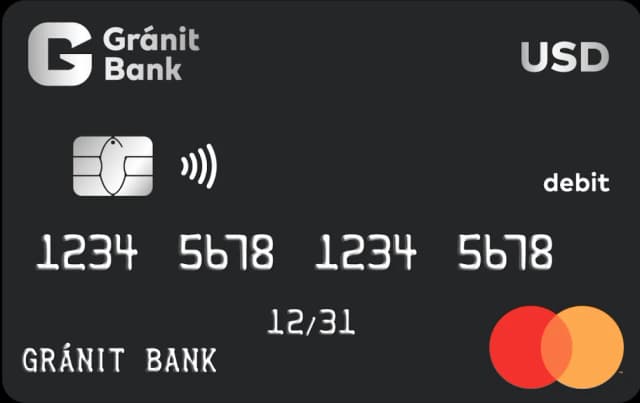
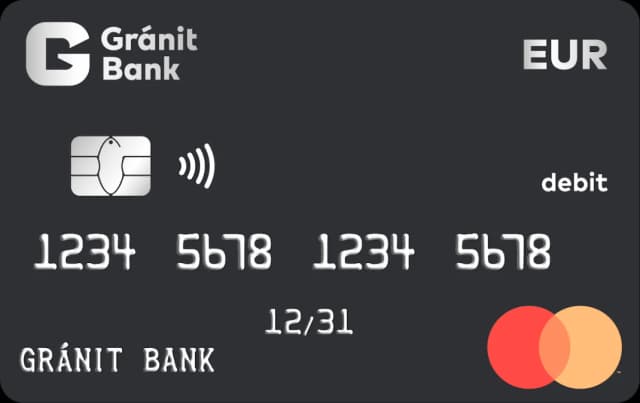
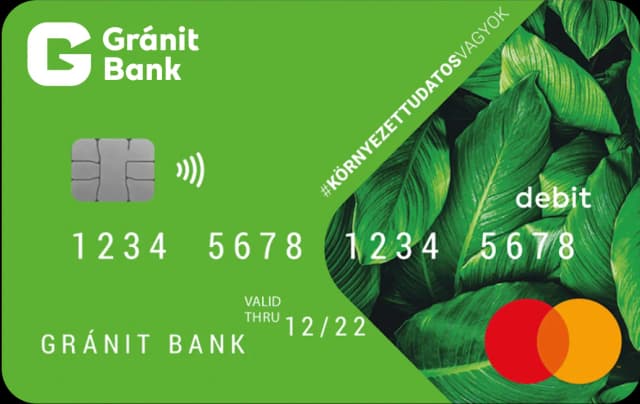
Get a bank card for your HUF, EUR or USD account
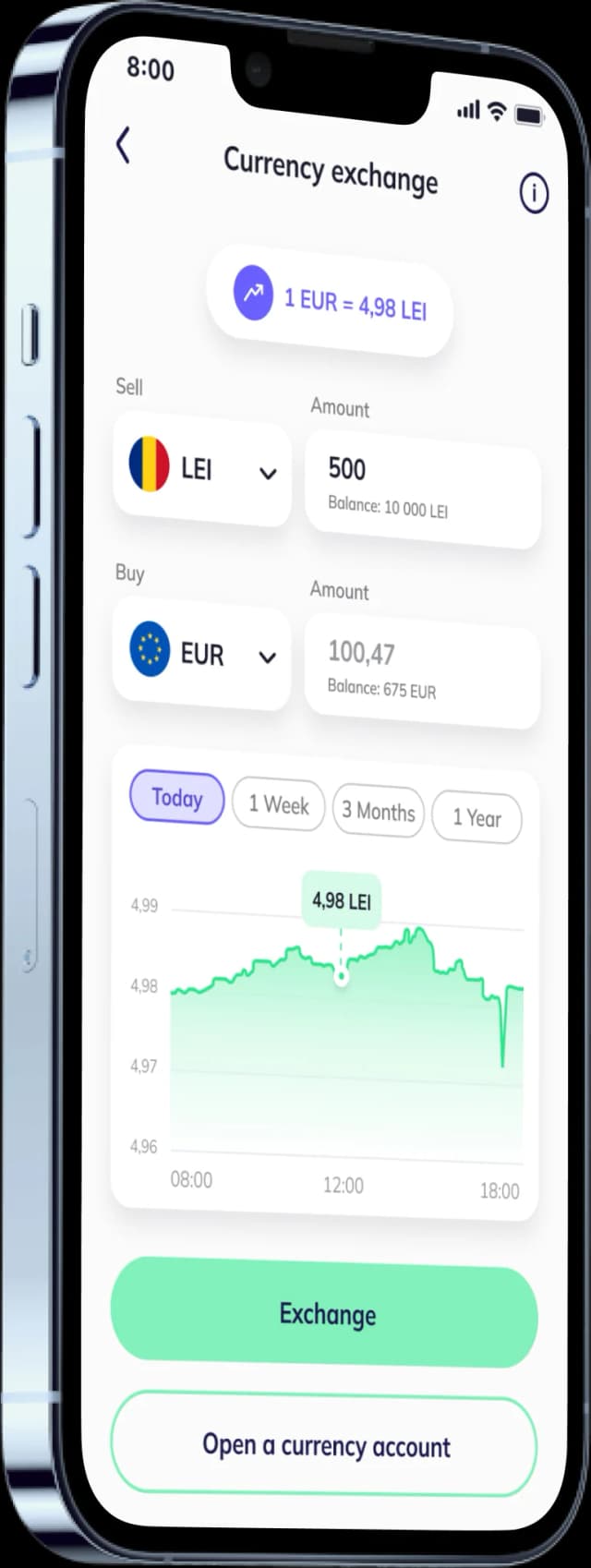
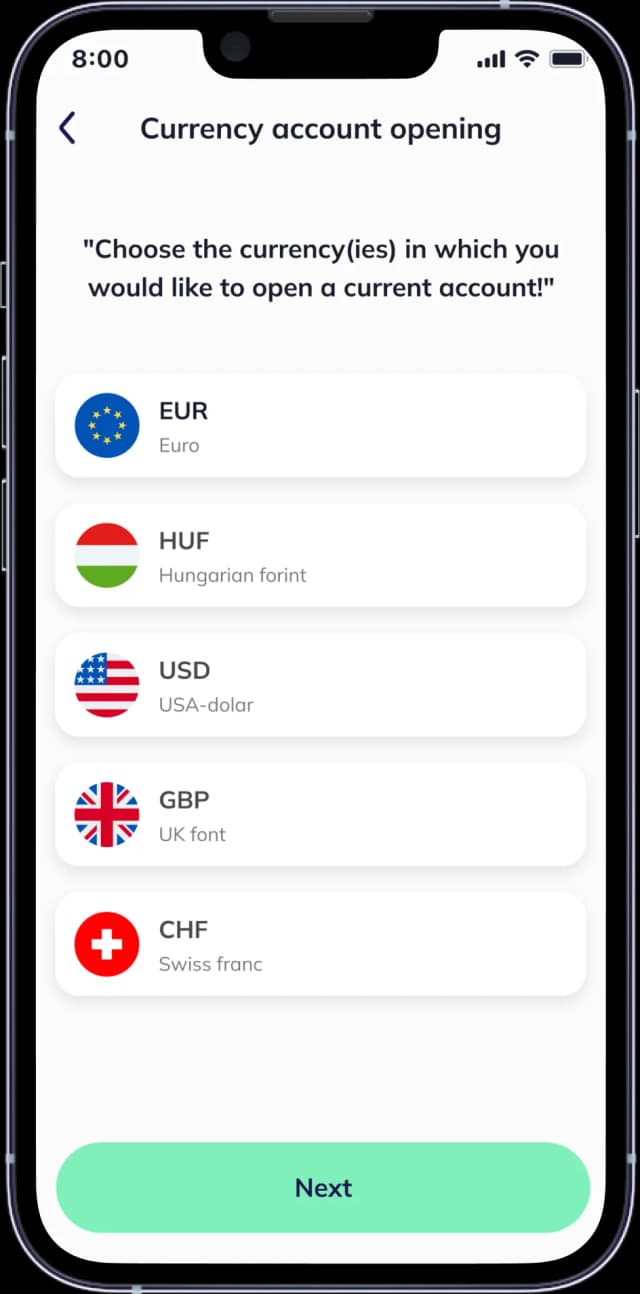
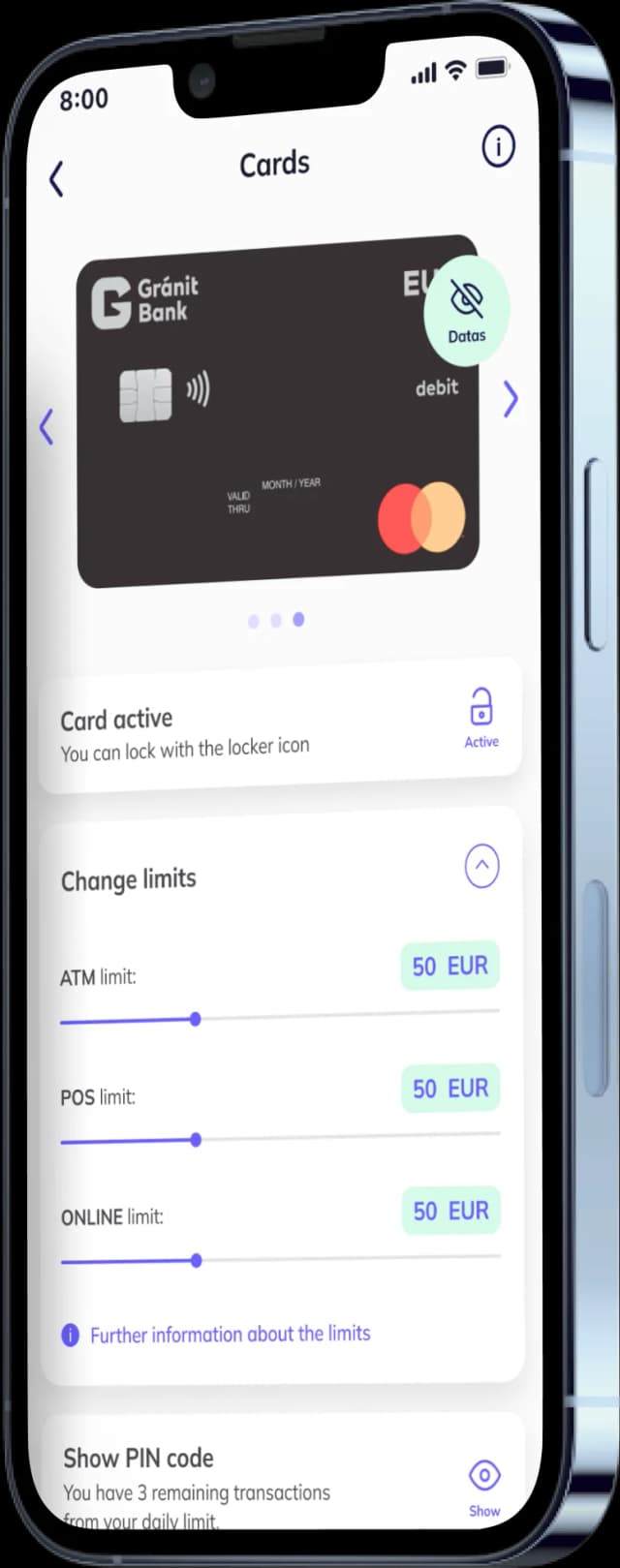
Open an account using a selfie in a few minutes in the GRÁNIT eBank app.
For book transfers between your own accounts in different currencies, the Bank uses an account...More
How can I open an account?
You can open your account simply, with a selfie, by using the GránitBank app. If your identity document has a chip, you can open an account with a selfie if you have an NFC-enabled phone
What are the costs of opening a bank account?
There are no fees for opening an account, and the account management fee is free of charge for accounts opened in RON or HUF.
Details: https://granitbank.ro/hu/announcements
Is there a possibility for personal banking?
Gránit Bank currently has the following 2 branches in Hungary:
Address: 1095 Budapest IX. kerület, Lechner Ödön fasor 8. - cashier operations can only be executed here – and
WestEnd City Center 1062 Budapest, Váci út 1-3.; 1. emelet, Hild József sétány 24.
You can also manage your banking via our NetBank and TeleBank services, which are offered at no charge to you, as well as with our Gránit VideoBank service, which can be used free of charge to request information or make inquiries.
Is the Bank planning to set up a branch network in Romania?
Gránit Bank believes that banking can be cost-effective and convenient, which does not require maintaining a branch network. In this spirit the Bank will continue to prefer developing online banking solutions.
What documents do I need to open a retail bank account?
Romanian personal identification document
Are there any services that are free of charge with a retail bank account?
The following services are free of charge for all account packages:
What is the IBAN number and where can I find it if I need it for a transfer?
The IBAN (International Bank Account Number) is an international bank account number with a standard structure that makes international payment transactions within Europe more accurate, faster and cheaper. The first two digits of the IBAN identify the country (HU in the case of Hungary), the next two digits function as a control number, and the rest of the IBAN is the domestic account number. The IBAN for Hungary is a 28-character account number. In the case of Gránit bank accounts, the IBAN consists of the prefix HU followed by two digits and the domestic Gránit bank account number, in a three times 8-digit format, with the last eight digits being 0 only. The IBAN number is included in the Payment Services Framework Agreement, and also available electronically in the following ways:
How can I deposit money on the bank account?
By international transfer from any other romanian bank account.
There is something wrong with the app, who can I contact?
If you experience anything unusual with the app, please send us a message to the ebank@granitbank.hu e-mail address.
How can I view my account history?
When you enter the app, you can see your last 3 transactions on the home screen. You can access your account history from the home screen or by clicking on the Account info button in the menu. You can filter your transactions by type, category and status, or you can select the period to be analysed. In terms of type, the app recognises credits and debits.
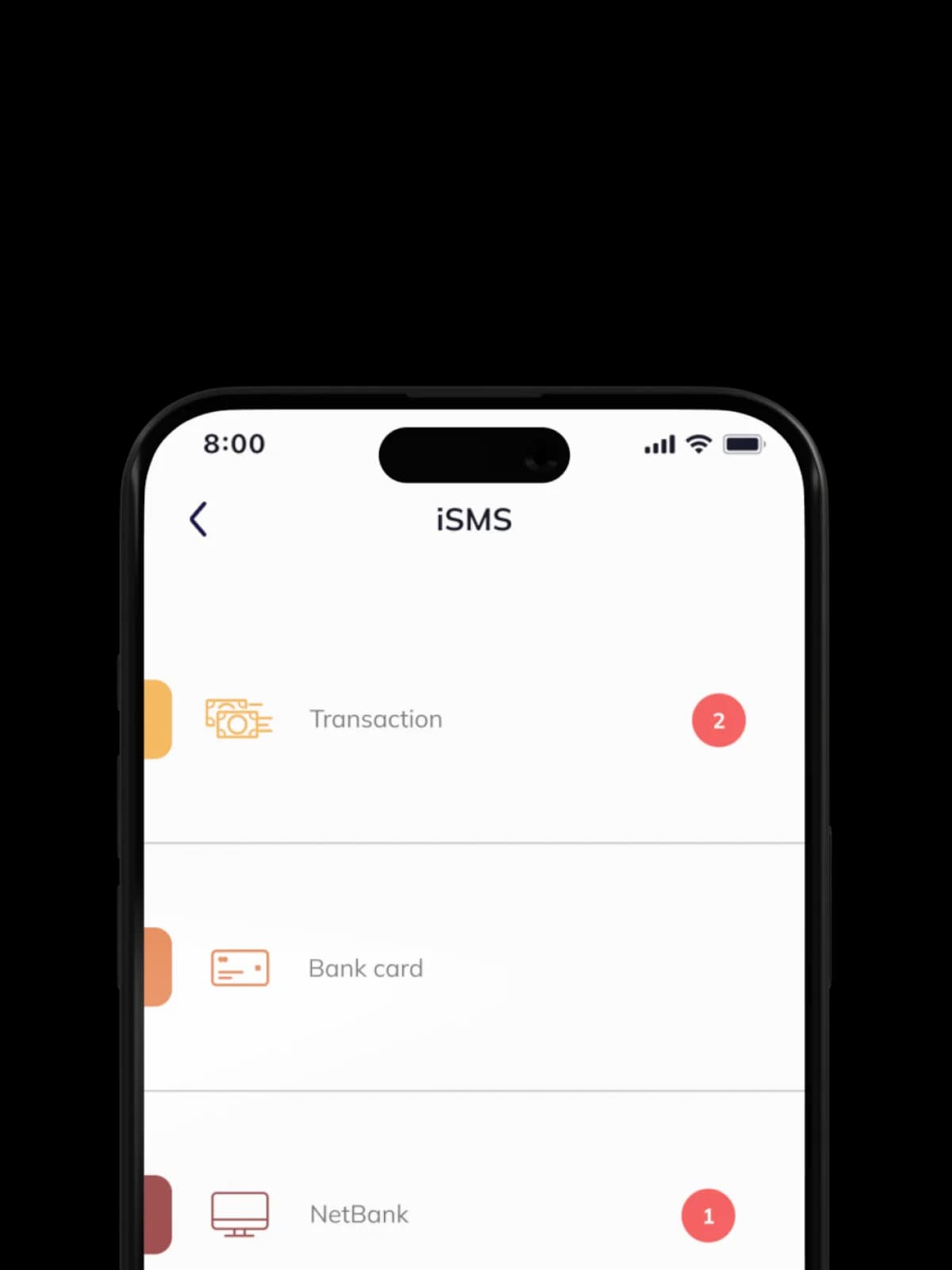
What kind of banking messages can I receive as a free iSMS?
We will send you free iSMS about your transactions, your bank card spending, your NetBank access code and in other cases, such as promotions.
How do I access the new version if I already use the eBank app?
If you have enabled the automatic update of the app on your mobile phone, you don't need to do anything, just use the new version after the automatic update. If it is not enabled, you can update the app manually in Google Play or App Store.
How can you make sure the app is working properly?
Once logged in, the Main page will appear and the menus will work as expected.
We recommend that you keep the app running on your device, at least in the background.
Please, pay attention to the following:
In order to receive your messages via free iSMS, it is important that you have a live internet connection after the banking transaction! Similarly, bank card management functions only work with a live internet connection. The easiest way to check your internet connection is to open a web page in the browser of your mobile device, such as our bank's website: www.granitbank.ro
The detailed terms and conditions for using the app are set out in the documents entitled Terms and Conditions of Use of the Gránit eBank app, the General Terms of Contract for Electronic Banking Services and the Announcement relevant to Electronic Services.
Where can I copy my account details?
When you log into the app, you will see your account number at the top of the home screen (if you have more than one account, you can scroll horizontally through them). Clicking on the copy icon next to the account number will display the account number, IBAN number and SWIFT code, which you can share together or individually using the sharing options provided by your phone (e.g. e-mail, chat apps, SMS, etc.).
How much do the Gránit eBank and Gránit iSMS services cost?
They are completely free of charge!
If you are momentarily disconnected from the Internet or if, for any other reason, the bank's messaging centre is unable to access the Gránit eBank app running on your phone, you can receive your messages by traditional SMS – provided you also enable the SMS option in the ‘Methods of notification used by the Bank’ menu in addition to iSMS – and the applicable SMS fee will be charged as per the Announcement.
How to request the Gránit NetBank service?
In order to use Gránit NetBank, you must first have a bank account with Gránit Bank, which you can obtain via the Gránit eBank mobile app by opening an account using a selfie.
What shall I do if I enter my login password incorrectly several times (when the system does not enable access to NetBank)?
To solve the problem, you can call the Gránit Bank Call Centre on Hungarian bank working days between 8:00 and 21:00 hrs, Budapest time, calling the
+36 1 510 0993 TeleBank phone number.
Our bank will unblock you after TPIN identification and send a new login password via SMS to your mobile number registered in our system.
What shall I do if I have closed the Netbank page without logging out or if my Internet browser has frozen?
You must close the browser (i.e. all Internet sites, it is not enough to close only the Gránit Bank site), restart the browser and then you can log back into NetBank. If you wish to log in again using the same browser program, a 15-minute waiting period is required for a successful login. No waiting time is required though, if you are using a different browser program.
How can I disable the Netbank service if I suspect that my data have been accessed by unauthorised persons?
You can deactivate the service by calling our Call Centre or via TeleBank on the +36 1 510 0993 telephone number.
What can I use the NetBank free-format letter for?
A free-format letter is used for electronic, written communication between the customer and the Bank in the same way as an e-mail. The difference is that this is classified as an identified channel, as it requires the same signature as, for example, a transfer order via NetBank. This provides a possibility to the Bank to treat your orders given by Free-format letter as if you had given the order in person at the branch.
Available at: Gránit NetBank Mailbox Free-format letter
You can use the following services with a NetBank Free-format letter:
How many times can a login or signature password be entered incorrectly?
If the password is entered incorrectly three times, the system will ban the User from the service.
What security/authentication solutions are associated with the NetBank service?
The Gránit NetBank service has a two-layer authentication system. To log in, you will need to enter your user ID and login password, as well as the login code received via SMS or iSMS. The code sent is one-time use and time-limited (valid for 5 minutes from sending).
Until what time can I submit a same-day settlement order via NetBank?
Same-day settlement is possible in the case of the orders listed below submitted via NetBank, provided they are submitted by the specified time (Budapest time):
All the information on the procedures for submission, receipt and execution of payment orders is available in the relevant Announcement.
How does contactless payment work?
In addition to the chip that guarantees secure payment, the bank card you receive also allows contactless payment at the appropriate acceptance points for faster and more convenient card use. If you do not wish to use contactless technology for payment, you also have the possibility to pay with your bank card in the traditional way, by inserting it into a POS terminal and entering your PIN code.
If you use contactless payment, you currently do not need to enter a PIN code for purchases below the RON equivalent of HUF 15,000, provided that the cumulative amount of transactions without PIN code does not reach the RON equivalent of HUF 45,000. For details on contactless payments, in particular on purchase limits, please refer to the relevant Announcement and the General Terms of Contract for Debit Card Services!
To activate the Contactless function, you need to execute a transaction and approve it with your PIN code (a chip-based, non-contactless transaction at an ATM or POS).
How can I block my bank card?
Please report any loss of possession of your bank card, its loss or theft or unauthorised/unapproved use immediately via the TeleBank service on phone number +36-1-510-0527. After you have made the report, the Bank will not execute any payment transactions based on payment orders given with the bank card, except for any successfully executed transactions initiated regularly after or prior to the blocking (e.g. in the case of offline transactions) that the Bank automatically executes (settles) to the debit of the bank account serving as the basis for the bank card. The blocking is final and irrevocable, and the blocked card may never be used again.
What types of bank card are available?
You can choose from the following types of bank card, depending on the type of account package:
The annual or monthly fee for a bank card, or the issuance fee, if any, may vary depending on the type of card and the account package. Please refer to our latest Announcement for the exact fees!
How to apply for a bank card?
The Gránit RON Mastercard, embossed foreign currency bank card can be requested in the eBank mobile bank app with selfie identification, as well as upon VideoBank account opening. Bank card held in other currencies may be requested in the Gránit eBank app, under the Cards option. An emergency bank card can also be requested in the Gránit eBank mobile banking app, in which case the card must be picked up at a branch. You can apply for the bank card in person at the Central Branch of Gránit Bank (1095 Budapest, Lechner Ödön fasor 8., open Monday-Friday: 8:30-16:00 Budapest time), or at the Westend Customer Centre (Westend City Center, 1st floor, Hild József sétány 24., open: Monday-Friday: 10:00-18:00, Budapest time). Please refer to our latest Announcement for information on fees.
Which mobile payment solutions can I use?
Pay quickly, easily and securely with your smart device using the Apple Pay or Google Pay services!
For your security, your bank card will be temporarily blocked after successful digitisation, which you can easily unblock in the Gránit eBank app.
Where can I retrieve my PIN code?
You can retrieve the PIN code assigned to your bank card in the Gránit eBank app under the ‘Cards’ menu item
How can I change the PIN code?
A PIN code change can be initiated using an ATM that supports the PIN change operation. A new PIN can be entered by selecting “Change PIN” from the ATM menu and entering your personal PIN code. The change is subject to a fee, the applicable fees are set out in the latest effective retail and corporate announcements. PIN changes are not possible during the bank card renewal process (between the 75th day preceding the date of expiry and the activation of the renewed bank card).
What do I need to know about PSD2 – strong customer authentication?
The purpose of strong customer authentication is to protect customers when making bank card transactions and online purchases, to ensure that the transaction can only take place after the authorised person’s approval.
Applying the European Union's Directive stipulating strong customer identification (PSD2) in the online space and within the EU boundaries, payments for online purchases with a bank card can only be made – for security reasons – if the cardholder, after providing his/her bank card details, also approves these data by means of unique identification.
Additional information.
What do I need to know about the information sent for transactions requiring conversion?
The purpose of this information provided by the Bank, as defined in Regulation (EC) No 924/2009 of the European Parliament and of the Council, is to draw the attention of its cardholders to the differences in the exchange rates (margins) applied to purchases or cash withdrawals made at physical merchants within the European Economic Area (hereinafter: EEA) using a bank card.
Please act carefully and choose the exchange rate that is more favourable to you for your transactions, if the terminal offers you the choice between the merchant's exchange rate and the Bank's exchange rate.
How can I receive this information?
The information will be sent to you, as the card holder, in the form of an iSMS, provided that you have the GRÁNIT eBank mobile bank app and the GRÁNIT iSMS Service has been set up for you.
If the Card Holder has the Gránit SMS Service enabled, this service will be automatically supplemented with the information service in the form of an SMS.
Is there a charge for this service?
There is no charge for the service, the information is free of charge, regardless of whether it is sent as an iSMS or as an SMS as part of the SMS Service, in addition to the SMS.
When is the information provided?
In the case of purchases and cash withdrawals made in the EEA in the currency of an EEA Member State by bank card, requiring currency conversion at a physical merchant location, the information is provided monthly, with respect to the first transaction, immediately after it has taken place, per currency.
What is the information about?
The information shows the difference (margin), as percentage, between the selling rate of the euro currency quoted by the Bank at the time of the purchase or cash withdrawal and the European Central Bank's then-current reference exchange rate.
The percentage value shown in the information does not include the exchange rate applied by the Mastercard international card company to the conversion into euro of transactions executed in an EEA currency other than euro. In this case, the amount of the transaction is converted into HUF in accordance with section 9.2.5 of the General Terms of Contract for Debit Card Services.
The value of the margin indicated in the information reflects the situation at the time of the transaction, but the exchange rates may change until the actual settlement!
How can I cancel the provision of information?
If you do not wish to receive information about your transactions executed in the EEA with a bank card that require conversion, please indicate your wish to unsubscribe by sending a free-format letter in the Gránit NetBank service, by calling our Call Centre, via Gránit VideoBank, in person at our Central Branch or at our Customer Service Desk.
How can I change the bank card limits?
The daily bank card limits in terms of amount and number of transactions are valid between 0-24 hours Budapest time (CET/CEST) on the day of the transaction. If your next payment, together with all transactions executed on the same day – within the same limit – exceeds the preset limit, you will only be able to execute a successful transaction on that day if you change the limit.
The most convenient way to modify the daily amount limit for your bank card is to use the Gránit eBank mobile bank app, where the modifications will take effect immediately. Limit changes in eBank are free of charge. The change of the daily limits in terms of amount or number of transactions executed with the bank card can also be initiated by the account holder or the duly authorised card holder via the Gránit TeleBank, Gránit VideoBank or Gránit NetBank services (Mailbox > Free-format letter menu item) against a fee as specified in the Announcement. In the event of a change made via Gránit TeleBank or Gránit VideoBank, the modified number of transactions and amount will take effect immediately. A minimum number of transactions that you can set is: 1 transaction, the minimum amount that you can set is: HUF 1.
The modified limits will remain valid even in the case of renewal, reissue or replacement of the bank card.
Transactions included in the daily online limit are also deemed to be included in daily POS limit, so the daily online limit cannot exceed the amount of the daily POS limit. The limit on the number of purchases applies to POS and Online purchases together.
Can I collect my bank card in person?
Yes. Against an extra fee, as specified in our Announcements, you can collect your bank card and the corresponding PIN code in person or through your authorised representative, at our Central Branch (1095 Budapest, Lechner Ödön fasor 8. open Monday-Friday between 8:30-16:00 hrs. Budapest time) or at our Westend Customer Centre (Westend City Center, 1st floor, Hild József sétány 24., open Monday-Friday between 10:00-18:00 hrs, Budapest time). Ad hoc authorisation may be given for collection of bank card and PIN envelope.
How can I avoid unsuccessful bank card payments?
To avoid unsuccessful bank card payments, you should check the following before you execute a transaction or before you expect to be charged for recurring payments (typically subscriptions):
The easiest way to check and modify the conditions for successful payment is to use the Gránit eBank app.
What do I need to know about using my bank card safely?
Please do not lose sight of your bank card when making purchases, and protect it from strong magnetic fields or heat!
Please make sure that the PIN code of your bank card is not disclosed to any unauthorised person.
Do not keep the PIN code card or the noted PIN code near your bank card, and do not write the PIN code on your bank card!
Additional information
How long will it take to receive my bank card?
After the contract has been signed, the bank card will be ordered as soon as the funds sufficient to cover the fee for the issue of the requested bank card and the first annual fee are available in the bank account. After the order has been placed, the bank card may be expected to be ready within 7-10 working days and will be mailed to the Card Holder’s mailing address or can be collected at our branches upon request.
For security reasons, the card containing the bank card’s PIN code will be mailed in a separate envelope prior to the mailing of the bank card.
If you do not receive the bank card or the envelope containing the PIN code within 14 days of ordering, or if the envelope arrives damaged, please report this via our Gránit NetBank or Gránit TeleBank (+36 1 510 0527) service, or in person at the Bank’s Central Branch or Westend Customer Centre.
If your bank card has been replaced for technical reasons – replacement of damaged plastic, name change, renewal of expired card – we will not mail you a new PIN envelope, and your PIN will be the same as the PIN of your previous bank card.
How to activate your bank card?
For security reasons, your bank card is sent in an inactive state, and must be activated before it can be used.
You can activate your bank card in the following ways:
In the case of a renewed bank card, once activated, the old bank card can no longer be used.
How and when do I receive my PIN code?
The envelope containing your PIN code will arrive by post before your bank card. If the envelope containing the PIN code arrives damaged, please report it as soon as possible via the Granit NetBank or Gránit TeleBank services (+36 1 510 0527) or in person at our Customer Service Desk.
If your bank card has been reissued for technical reasons (damaged plastic reissued, name change, renewal of expired card), we will not send you a new PIN envelope. The PIN code of the new bank card will be the same as the PIN code of your previous bank card.
Please make sure that the PIN code of your bank card is not disclosed to any unauthorised person. Do not keep the PIN code card or the noted PIN code near your bank card, and do not write the PIN code on your bank card!
Please note that the Bank cannot be held liable for any damage resulting from unauthorised access to your secret PIN code.
What are the SMS and iSMS services for?
Request the SMS service, and you will also receive instant information on all transactions executed with your bank card. The advantage of this service is that you can detect sooner if your card has been stolen and/or if unauthorised persons misuse your bank card details. (The fees for this service are set out in the Announcement relevant to the account package.)
With the Gránit eBank app, which you can download to your smartphone, you can significantly reduce or even zero out your SMS costs. With this app, you will receive transaction messages via free iSMS transmitted over your internet connection, provided that you are online. (A precondition for the iSMS is that you must have a contract for SMS service and you will only receive iSMS notifications for the transactions you specifically indicated when you requested the SMS service.)
How can I make a complaint?
For the investigation of an unrecognised bank card transaction that has been booked on your bank account (complaint procedure) you will need the Bank Card Transaction Complaint form, which is available here.
You can submit the Bank Card Transaction Complaint form in the following ways:
What is the Gránit Digital Card Service and how can I request it?
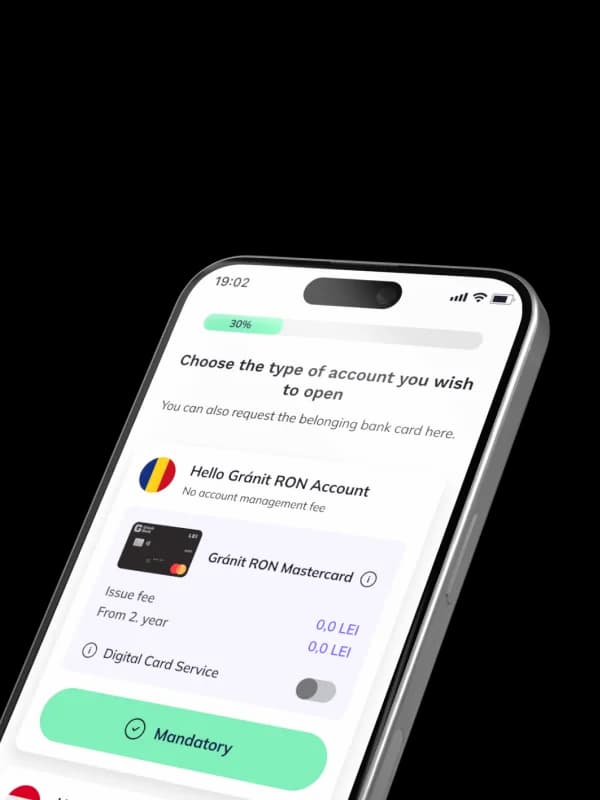
The Gránit Digital Card Service allows you to make online or in-store purchases or to withdraw cash from ATMs that support contactless technology using your mobile phone, before you receive your bank card that you have already applied for. The Gránit DIGITAL Card Service can be requested in combination with online and in-person account opening, or when applying for a new bank card in the Gránit eBank app.
What should I do if I forget my PIN code?
You can view your PIN code five times a day in the Gránit eBank app (on both iOS and Android devices), provided you are authorised to use Gránit eBank for the bank account associated with your bank card. (bottom of the Gránit eBank Cards tab)
If you are not authorised to use the Gránit eBank app, a new PIN code must be reissued for you. You can initiate the reissue of your PIN code in person at our Central Branch (1095 Budapest, Lechner Ödön fasor 8., open: Monday-Friday between 8:30-16:00 hrs, Budapest time) or at our Bank Branch in Westend (Westend City Center, 1st floor, Hild József sétány 24., open Monday-Friday between 10:00-18:00 hrs, Budapest time), or via Gránit TeleBank after customer identification.
How can I use the Disposable (single-use) Card for purchases?
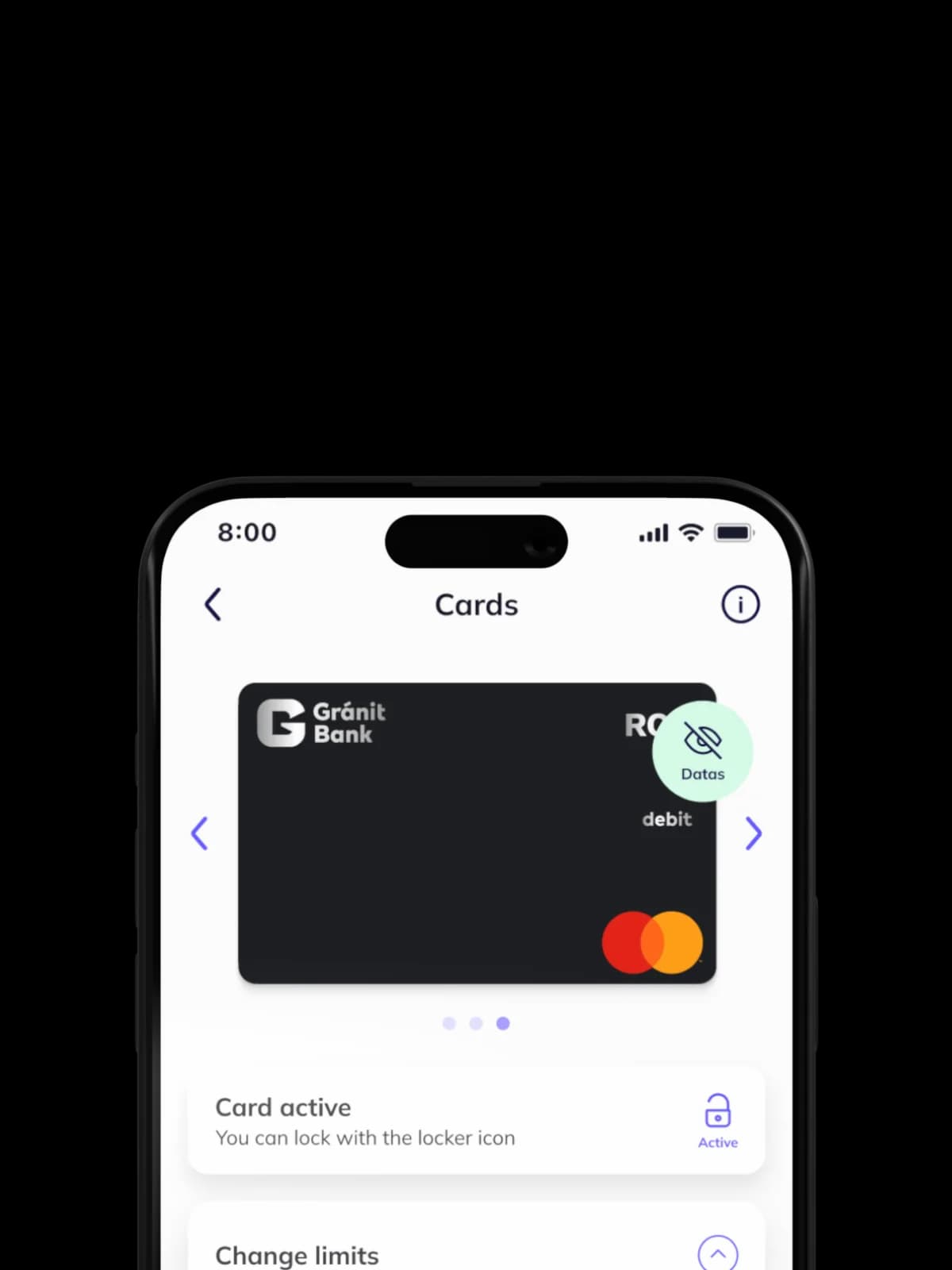
Before using the Disposable Card, check that your physical card has not been locked, and unlock it in the app before making a purchase. Then, in the Gránit eBank app, in the Cards menu, select the Disposable tab and click on the Data button to access the details of the Disposable Card. Check whether the limit set for the Disposablee Card is sufficient to make the purchase. Enter the details of the Disposable Card when making your online purchase and, if necessary, complete the authentication process. If, when creating the Disposable Card, you set a limit lower than the purchase amount, cancel the Disposable Card and create a new one with sufficient limit.
Where can I view the details of the Disposable (single-use) Card?
The details of the Disposable Card can be accessed when you create it, but you can also view them later at any time: in the Gránit e-bank app, in the Cards menu, select the Disposable tab and click on the Details button.
For what accounts can I create a Disposable (single-use) Card?
You can create a Disposable Card for your Romanian leu, euro, US dollar, or Hungarian forint account that has a linked active bank card.
Can I have several Disposable (single-use) Cards at the same time?
You can have a Disposable Card for each of your accounts, but only one active Disposable Card can be linked to an account at a time.
How many Disposable (single-use) Cards can I create?
You can create a maximum of 5 Disposable Cards per day, regardless of how many bank accounts or bank cards you have.
Example: If you have 3 unused Disposable Cards, you can still create 5 more on the same day.
When will the Disposable (single-use) Card expire?
The Disposablee Card will expire:
When is it not recommended to use a Disposable (single-use) Card?
Do not use the Disposable Card for recurring transactions (e.g., subscriptions), as it will expire after the first use.
How can the limit of the Disposable (single-use) Card be changed?
You can set the limit when you create the card; it cannot be changed later.
(1) This information does not constitute an offer, it is purely informative. The detailed terms of contract are contained in the Terms of Business and the General Terms of Contract for cross-border services provided within the territory of Romania. Gránit Bank is a bank licensed in Hungary, and is authorised to provide financial services within the territory of Romania as part of cross-border services.
(2) Download the Gránit eBank mobile application from the App Store or the Google Play Store, open your bank account with a selfie until 6/30/2026, and during the process, accept the Consent to Marketing Purposes. Until the end of the 3rd calendar month after the opening of the account, a minimum of RON 400 must be credited to your bank account in one sum every month for 3 months, and you must make at least 3 purchases with your bank card every month to be eligible for a bonus amount of up to RON 400. Click here for the details
(3) During the promotion period till 6/30/2026. Outside the promotion period: 0.25% (min. RON 10; max. RON 2000)
(4) The special offer is valid until 6/30/2026. The instant-access interest rate shows the amount of the interest the bank will pay on the funds in your bank account over a period of one year, calculated daily based on the current (end-of-day) balance of your bank account. The AER (EBKM in Hungarian) stands for the Annual Effective Rate, an indicator of the actual yield on the deposit. The AER shows the amount of interest to be paid out on the deposit over the whole calendar year, i.e. the extent of the return on the investment. The indicator is calculated on the basis of the actual amount to be paid, less costs.
(5) Pursuant to Hungarian tax legislation, the Bank must deduct 15% as withholding tax both from the instant-access balance of the account and from the interest paid on fixed deposits. The Bank automatically deducts the relevant tax. Click here to read the Announcement on Deposits.
The special offer is available until 6/25/2026. This information does not constitute an offer, and the Bank reserves the right to amend the conditions. The fixed deposits referred to in this notice are insured by the National Deposit Insurance Fund. The detailed description of the deposit agreement is contained in the Terms of Business, the General Terms of Contract for Deposit Transactions offered in the territory of Romania as cross-border services and in the Announcement on Deposit Transactions and other Savings products offered to retail customers in the territory of Romania as cross-border services.
(6) with a special offer until 6/30/2026, 39 RON without special offer.
(7) A service where the Bank makes available certain bank card products digitally to new customers, which products can be used in the Gránit eBank Service. Fee of the service: with a special offer until 6/30/2026: 0 RON, without special offer: 12.0 RON. To use the service, you must activate the Gránit eBank mobile banking app.
(8) Fee charged by Gránit Bank. As ATM operators and merchants outside Hungary may charge a fee for using a bank card, please check before payment or cash withdrawal. These fees are collected by the Bank and are payable by the customer.
(9) Mid-market rate shall mean the Digital Rate, which is the Reference Exchange Rate applied to book transfers between the currencies specified in the Announcement, during the execution of Payment Orders submitted in the eBank app, during the period and up to the amount specified in the current Announcement. The Digital Exchange Rate equals the interbank mid-market exchange rate, with the note that the rate is updated every 5 minutes between 9am and 5pm Budapest time, on Hungarian banking days.
Call us or contact us online


Visit the CyberShield website (kiberpajzs.hu) to arm yourself against cyber fraud!


© Gránit Bank Nyrt.
H-1134 Budapest, Váci út 17.